
Excerpt
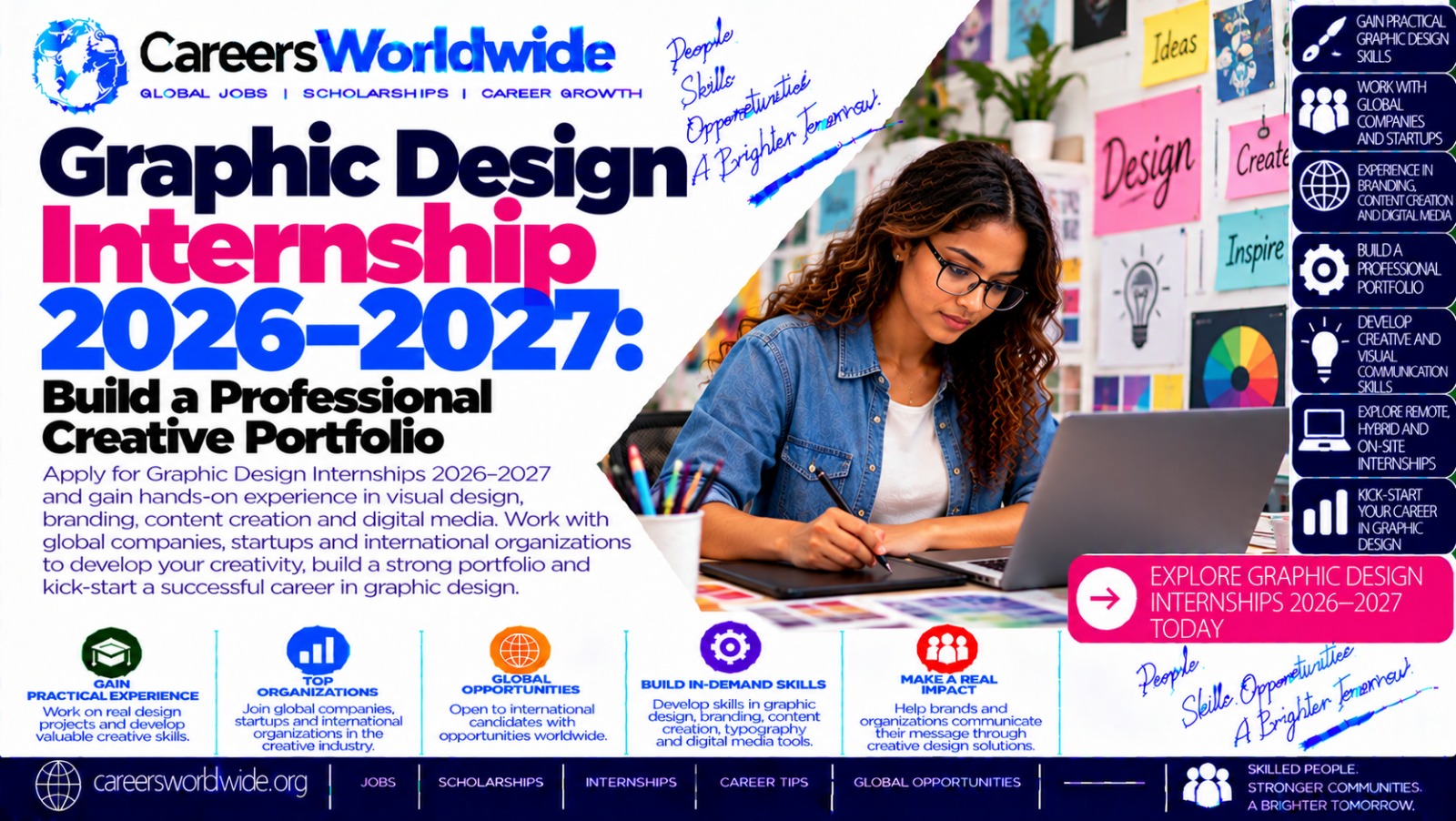
A Graphic Design Internship in 2026–2027 can help aspiring designers turn creative ideas into professional skills, gain practical experience, and build a portfolio that attracts employers and clients. Whether you are a student, recent graduate, self-taught artist, or career changer, the right internship can introduce you to real design briefs, brand guidelines, creative teamwork, and professional deadlines. Discover the skills employers value, the projects to include in your portfolio, where to find opportunities, and how to prepare a strong application.
1. Introduction: Why Consider a Graphic Design Internship in 2026–2027?
Graphic design is an important part of how businesses communicate. Companies use visual design to promote products, build brand recognition, explain services, and connect with audiences across websites, social media, advertisements, packaging, and printed materials.
A Graphic Design Internship 2026–2027 offers an opportunity to learn how professional design work happens beyond classroom assignments and personal projects. Interns may help create marketing graphics, prepare presentations, develop brand assets, edit images, design promotional materials, or support a creative team working on a campaign.
For beginners, one of the biggest advantages is the opportunity to build a portfolio that demonstrates more than artistic ability. Employers want to see whether a designer can understand a brief, make purposeful visual decisions, follow instructions, accept feedback, and deliver work in a usable format.
You do not necessarily need an extensive employment history to apply. Student projects, independent practice, volunteer assignments, and self-initiated design concepts can all demonstrate potential when presented honestly and professionally.
The goal is to combine creative development with practical experience—and to leave the internship with stronger skills, clearer career interests, and portfolio projects you can confidently discuss.
2. What Is a Graphic Design Internship?
A graphic design internship is a temporary learning or work-placement opportunity in which an aspiring designer supports a business, agency, nonprofit, educational institution, or creative team.
Depending on the organisation, interns may work in person, remotely, or through a hybrid arrangement. Some positions are paid, while others may offer academic credit or another arrangement. Always confirm compensation, responsibilities, duration, supervision, and eligibility before accepting an offer.
Common responsibilities include:
- Designing social media posts, digital advertisements, posters, and flyers.
- Assisting with logos, brand guidelines, and visual identity materials.
- Editing photographs and preparing visual assets.
- Creating presentations, brochures, infographics, and other marketing materials.
- Resizing designs for different platforms and formats.
- Organising design files and maintaining consistent naming conventions.
- Receiving feedback from designers, marketers, and project managers.
- Preparing final artwork for digital publication or print production.
The scope varies. An intern at a small business might support several kinds of projects, while an intern at a larger organisation may focus on a specific brand, campaign, or creative department.
The best opportunity is not necessarily the one with the most famous employer. Look for a position that provides meaningful assignments, constructive feedback, clear expectations, and opportunities to learn.
3. Who Can Apply for Graphic Design Internships?
Eligibility depends on each employer, but several groups commonly explore these opportunities.
Students: Those studying graphic design, visual communication, digital media, marketing, illustration, multimedia, or related subjects may be eligible for placements linked to their courses.
Recent graduates: Graduates can use internships to gain experience and understand professional workflows before applying for permanent design roles.
Self-taught designers: Applicants without formal design qualifications may still be considered when employers accept equivalent skills and portfolio evidence.
Career changers: People moving from marketing, communications, photography, content creation, or another field may find that existing skills complement their design abilities.
Beginners building a portfolio: Some entry-level opportunities accept class assignments and independent projects. Others require prior experience or enrolment at a particular institution.
Before applying, review the requirements carefully. Check educational qualifications, location, work authorisation, availability, software requirements, internship dates, and whether the role is open to international applicants.
Do not assume every 2026–2027 internship is open worldwide. Some programmes are restricted to a specific country or university.
4. Why a Graphic Design Internship Can Strengthen Your Career
An internship can offer benefits that are difficult to reproduce through tutorials alone.
Real-world design experience
You may learn how a creative brief becomes a finished deliverable. That process can include researching the audience, exploring visual concepts, creating drafts, responding to feedback, and preparing final files.
A stronger creative portfolio
Professional experience can provide opportunities to develop relevant work samples. Before publishing client work, however, confirm that you have permission to show it and respect any confidentiality requirements.
Feedback and mentorship
Constructive criticism helps you identify problems you may not notice independently. An experienced designer can explain why a layout is difficult to read, why a logo fails at small sizes, or why a campaign needs stronger visual consistency.
Teamwork and communication
Designers regularly collaborate with marketing teams, writers, developers, photographers, printers, and clients. An internship can help you practise asking questions, presenting concepts, documenting revisions, and managing expectations.
Career exploration
You may discover that you prefer branding, editorial design, packaging, motion graphics, advertising, or digital content. This insight can help you decide which skills to develop next.
An internship does not guarantee a permanent job. Its value depends on the experience you gain, the work you produce, and how effectively you communicate what you learned.
5. Essential Skills for Graphic Design Interns
A strong applicant combines creative judgement with technical and professional skills.
Visual communication
Understand how images, typography, colour, hierarchy, and spacing work together to communicate a message. Every design should serve a purpose rather than simply look attractive.
Typography
Learn to choose suitable typefaces, create clear information hierarchy, manage line spacing, and maintain readability across different screen sizes and print formats.
Colour and composition
Understand contrast, balance, alignment, repetition, proximity, and visual emphasis. These principles help designs look intentional and make information easier to understand.
Branding and consistency
Practise using a defined colour palette, typography system, logo rules, and image style across several materials. Consistency is essential when creating assets for the same organisation.
Attention to detail
Check spelling, dimensions, alignment, image quality, margins, file names, and export settings before submitting work. Small errors can undermine an otherwise excellent design.
Communication and adaptability
Ask for clarification when a brief is unclear, explain design decisions in plain language, and respond professionally to feedback. A willingness to revise work is part of the design process.
Time management
Prioritise tasks, estimate how long work will take, and communicate early when a deadline is at risk.
6. Graphic Design Software and Tools to Learn
You do not need to master every design application before applying. Choose tools according to the type of work you want to do and the requirements listed by employers.
| Tool | Common uses |
|---|---|
| Adobe Photoshop | Photo editing, image compositing, digital artwork |
| Adobe Illustrator | Vector graphics, logos, icons, illustrations |
| Adobe InDesign | Brochures, magazines, reports, multipage layouts |
| Canva | Social media graphics, presentations, promotional materials |
| Figma | Collaborative digital design, interface graphics, design systems |
| Affinity design applications | Vector illustration, image editing, page layout, depending on the application |
| Procreate | Digital illustration on compatible devices |
Learn the fundamentals before collecting software badges. A designer who understands typography, hierarchy, and visual problem-solving can transfer those skills between applications.
Build familiarity with file formats too. For example, PNG and JPEG are common for raster images, SVG is useful for scalable vector graphics, PDF is often used for document sharing and print-ready work, and editable source files allow future changes.
Always follow the employer’s production requirements. Colour modes, bleed, resolution, dimensions, and export settings may differ between digital and print projects.
7. How to Build a Professional Graphic Design Portfolio
Your portfolio is often one of the most important parts of a graphic design internship application. It allows a recruiter to assess your creative thinking, visual judgement, technical skills, and ability to present work clearly.
Adobe’s portfolio guidance recommends defining your goals, choosing an appropriate format, curating relevant projects, and explaining your role and design decisions.
Creative Cloud India
+1
Step 1: Choose a clear portfolio format
You can present your work through a personal website, a PDF portfolio, or a creative platform such as Behance. A website offers flexibility and personal branding; a PDF is convenient for applications that request an attachment; a portfolio platform makes it easy to publish projects online.
Choose a format that is easy to open and navigate. If you use multiple formats, keep the content consistent and make sure your links work.
Step 2: Select your strongest projects
Start with around four to six well-presented projects if you have enough work. This is a practical starting point, not a universal employer requirement. A smaller portfolio of polished projects can be more persuasive than a large collection of unfinished experiments.
Consider including:
- A logo and brand identity concept.
- A social media campaign with several coordinated designs.
- A poster or promotional flyer.
- A brochure, editorial layout, or multipage document.
- An infographic that makes information easier to understand.
- A packaging or digital advertising concept.
Choose projects that match the internships you want. For example, if a position focuses on marketing, prioritise campaign graphics and branded promotional assets.
Step 3: Show the process, not just the final design
For each substantial project, explain the problem, audience, approach, and outcome. A simple case study can follow this structure:
- Brief: What did the project need to achieve?
- Audience: Who was the design intended for?
- Concept: What creative direction did you choose, and why?
- Execution: Which tools and techniques did you use?
- Final work: What did you produce?
- Reflection: What would you improve in a future version?
For personal or fictional projects, say so clearly. You can create an excellent portfolio without pretending that a concept was commissioned by a real client.
Step 4: Present the work professionally
Use clear project titles, concise descriptions, high-quality images, and a consistent layout. Show full designs alongside relevant close-ups or mockups, but do not allow decorative presentation to obscure the actual work.
Make sure text is readable, images are sharp, and project pages are not overloaded with unnecessary effects. Your portfolio is itself a design sample, so its organisation should demonstrate your attention to detail.
Step 5: Include an introduction and contact details
Add a short biography describing your interests, design focus, current training, and the type of opportunity you are seeking. Include a professional email address and working links to relevant profiles.
Avoid unnecessary personal information. Your portfolio should give employers enough information to understand your creative direction and contact you about your application.
Step 6: Review and update regularly
Ask a lecturer, mentor, classmate, or practising designer to review your portfolio. Check that links open, spelling is correct, images display properly on mobile devices, and the best projects appear early.
Remove weaker pieces when stronger work becomes available. A portfolio should evolve as your skills improve.
8. Projects You Can Create Before Applying
You do not need to wait for an employer to give you a brief. Self-initiated projects are useful ways to demonstrate how you approach design problems.

Project 1: Brand identity for a fictional business
Create a name, logo, colour palette, typography system, and sample stationery or packaging for a fictional café, clothing label, or local service. Explain how the visual choices support the brand’s intended personality.

Project 2: Social media campaign
Design a coordinated set of posts for a fictional event, product launch, or community initiative. Show how the campaign maintains a recognisable style while adapting content to different messages.

Project 3: Event poster
Create a poster for a concert, exhibition, workshop, or charity event. Demonstrate hierarchy by making the most important information easy to find at a glance.

Project 4: Informational infographic
Select a topic you understand and organise the information into a clear visual sequence. Use accurate data, readable labels, and visual elements that genuinely support comprehension.
These are project ideas, not internship assignments from specific employers. Label self-initiated work honestly and use original assets or properly licensed resources. Do not copy another designer’s work and present it as your own.
9. Practical Guidance: A 30-Day Portfolio-Building Plan
If your portfolio is not ready, a structured month can help you make progress without trying to learn everything at once.
Days
1–7
Choose your direction
Review internship descriptions and identify the skills they request. Study design fundamentals, choose your software, and decide which four or five project types best demonstrate your strengths.
Days
8–14
Create your first projects
Develop initial concepts for branding, posters, or digital campaigns. Experiment with layout and typography, then review each design against its original brief.
Days
15–21
Refine and document
Improve the strongest concepts, prepare clean exports, and write short case studies explaining the purpose, process, tools, and design decisions.
Days
22–30
Publish and apply
Put your projects in a website, PDF, or portfolio platform. Proofread your CV, tailor applications to specific roles, and begin tracking application deadlines and responses.
This schedule is a guide, not a guarantee. Adjust it to your study commitments, experience level, and project complexity. Three carefully developed projects can be a better starting point than six rushed ones.
10. Graphic Design Internship 2026–2027: Summary Table
| Category | What to know |
|---|---|
| Opportunity | Entry-level experience supporting professional design work |
| Potential applicants | Students, graduates, self-taught designers, and eligible career changers |
| Typical tasks | Branding, social graphics, posters, layouts, image editing, and campaign assets |
| Useful software | Photoshop, Illustrator, InDesign, Canva, Figma, or employer-specified tools |
| Key application asset | A relevant, clearly presented creative portfolio |
| Other documents | CV or résumé, application form, and cover letter when requested |
| Work arrangements | On-site, remote, or hybrid, depending on the employer |
| Compensation | Varies by employer, location, programme, and local requirements |
| Typical selection stages | Application review, interview, portfolio review, and possibly a practical task |
| Best preparation | Relevant projects, design fundamentals, communication, and reliable file delivery |
| Where to search | Official company career sites, creative job platforms, university career offices |
| Important check | Confirm deadlines, eligibility, compensation, and location requirements directly with the employer |
11. How to Apply for Graphic Design Internships in 2026–2027
A thoughtful application makes it easier for an employer to understand your abilities and decide whether you match the role.
Step 1: Search for relevant opportunities
Use official employer career pages, recognised creative job platforms, university career services, and reputable internship listings. Search terms may include:
- Graphic Design Intern 2026
- Graphic Design Intern 2027
- Visual Design Internship
- Creative Design Intern
- Brand Design Intern
- Marketing Design Intern
- Digital Content Design Internship
- Junior Graphic Designer Internship
Try variations that reflect your interests and location. Some employers use titles such as Visual Designer Intern rather than Graphic Design Intern.
Step 2: Read the job description carefully
Before applying, identify the core responsibilities, required software, eligibility criteria, location, schedule, and closing date. Note whether the employer requires a specific qualification, a link to an online portfolio, or a PDF containing selected work.
Prioritise roles where your current skills meet the essential requirements and where you can realistically fulfil the work arrangements.
Step 3: Prepare your CV or résumé
Keep your CV clear, accurate, and relevant. Include:
- Contact details and portfolio link.
- Education or relevant training.
- Design software and technical skills.
- Selected projects and any relevant work or volunteer experience.
- Awards, courses, or certifications that are relevant to the role.
- Languages or other skills requested by the employer.
If you have limited work experience, use a Selected Design Projects section. Describe what you created, the tools you used, and the design challenge you addressed. Do not describe fictional or self-initiated work as paid employment.
Step 4: Write a targeted cover letter
Explain why you are interested in the organisation and how your portfolio relates to its work. Mention one or two relevant projects rather than relying on generic claims such as “I am very creative.”
A useful structure is:
- State the internship you are applying for.
- Briefly introduce your background and design interests.
- Highlight relevant projects, skills, and tools.
- Explain what you hope to contribute and learn.
- Thank the recruiter and provide your portfolio link.
Step 5: Submit the application correctly
Follow the official instructions. If the employer asks for a portfolio URL, check the permissions and make sure it opens without requiring the reviewer to request access. If a PDF is required, use a sensible file name such as FirstName_LastName_GraphicDesignPortfolio.pdf.
Do not send large attachments unless requested. Avoid broken links, unexplained cloud-drive permissions, and files that are difficult to view on a mobile device.
Step 6: Prepare for a portfolio interview
Be ready to discuss the reasoning behind your work. Interviewers may ask how you interpreted a brief, selected a typeface, chose a colour palette, handled feedback, or improved a design after testing it.
Practise explaining the challenge, your approach, the final result, and what you learned. If asked to complete a practical task, clarify the brief, deadline, deliverables, and how the work will be used. Check whether the assignment is an evaluation exercise or a request for usable commercial work.
Adobe’s published hiring guidance notes that creative applicants may be asked to present case studies, respond to design exercises, or discuss their portfolio during the selection process.
Adobe
Step 7: Track your applications
Maintain a simple spreadsheet with the employer, role, application link, closing date, submission date, and follow-up date. This helps you avoid duplicate applications and follow up professionally where appropriate.
Never pay an unverified recruiter for a promised internship. Check the organisation’s official website and contact channels, be cautious about requests for sensitive information, and verify any offer directly with the employer.
12. Official Application Resources and Portfolio Platforms
The resources below are useful starting points for building your portfolio, learning design tools, and searching for opportunities. They are not a guarantee that a specific internship is open, and availability may change.

Adobe Careers
Explore internships, graduate roles, and the company’s recruitment process. Review each vacancy for its location, qualifications, and portfolio requirements.
Adobe also explains how creative candidates may be evaluated.
Adobe

Behance
Publish visual projects, organise case studies, and explore creative work. Behance also has a job-listing area; review each listing’s terms and verify the employer before applying.
Visit Behance · Explore Behance jobs
Its official guide explains how to search and apply for listings.
Behance Helpcenter

Canva Careers
Check early-career programmes and internship information. The company has published information about its 2026/2027 internship programme in Australia and New Zealand; confirm the current roles, eligibility, and dates on the official site.
Programme details and application windows can vary.
Canva Careers

Adobe Portfolio guidance
Learn how to select projects, choose a portfolio format, explain your process, and present your work professionally.
Read Adobe’s graphic design portfolio guide
The guidance is useful even if you use design software from another provider.
Creative Cloud India
Applicants outside the listed programme regions: Use these sites for inspiration and career information, but also search employers, design agencies, advertising companies, printers, universities, nonprofits, and businesses in your own country. Local employers may offer internships or work placements that do not appear on international platforms.
For every opening, use the official job post as the final source for the application deadline and eligibility rules. Do not assume that a role advertised for one intake or country applies to another.
13. Frequently Asked Questions (FAQ)
1. What is a Graphic Design Internship 2026–2027?
It is an internship or work-placement opportunity during the 2026–2027 period in which aspiring designers gain practical experience supporting visual communication, branding, marketing, and other design tasks. Exact dates, responsibilities, and eligibility depend on the employer.
2. Can I apply without a graphic design degree?
Yes, if the employer accepts applicants without a specific degree. Some positions require formal study or enrolment, while others place greater emphasis on practical skills, software knowledge, and portfolio quality. Always read the eligibility criteria.
3. Do I need a portfolio before applying?
For most graphic design opportunities, a portfolio is strongly recommended and may be mandatory. It helps employers evaluate your visual judgement and the quality of your work. If you are new to design, include original class assignments, personal projects, or clearly labelled fictional briefs.
4. How many projects should my portfolio contain?
A practical starting point is four to six strong projects, although there is no universal requirement. Follow the employer’s instructions if it specifies a project count. Focus on relevance, presentation, and quality rather than filling the portfolio with weaker work.
5. Which software should I learn first?
Choose software based on your goals. Photoshop is useful for image editing, Illustrator for vector graphics and logos, InDesign for multipage layouts, and Canva for many everyday promotional designs. Figma can be useful for collaborative digital design work. Start with one or two tools and develop solid design fundamentals alongside them.
6. Are graphic design internships paid?
Some are paid, while others may be unpaid or provide academic credit, depending on the employer, programme, location, and applicable law. Confirm the compensation, expenses, working hours, and contract terms before accepting an offer.
7. Can I apply for a remote graphic design internship?
Some employers offer remote or hybrid placements, while others require interns to work on-site. Check time-zone expectations, location restrictions, equipment requirements, work authorisation, and whether the employer accepts applications from your country.
8. Are Graphic Design Internships 2026–2027 available worldwide?
There is no single worldwide internship programme covering all employers. Opportunities vary by country and organisation. Search international career platforms alongside official local employer websites, university career offices, and reputable regional job boards.
9. What should I include in my internship application?
Typically, prepare an updated CV, a portfolio link or PDF, and a tailored cover letter if requested. Some employers may also ask for academic records, references, a practical design task, or proof of eligibility to work.
10. How can I make my portfolio stand out?
Use relevant projects, clear typography, strong visual hierarchy, and concise case studies. Explain your design decisions and your specific contribution to each project. Keep the presentation easy to navigate and make sure the contact details and links work.
11. Can a graphic design internship lead to a permanent job?
It can, but a permanent position is not guaranteed. An internship may help you gain relevant experience, professional references, and a better understanding of the industry. Your future prospects will also depend on your skills, performance, available vacancies, and the employer’s hiring needs.
12. How do I avoid fake internship advertisements?
Check whether the vacancy appears on the employer’s official careers website or a trusted platform. Verify the recruiter’s contact details, be wary of guaranteed jobs in exchange for fees, and do not share sensitive financial information with unverified contacts. Contact the organisation through an independently verified channel if something seems suspicious.
14. How to Turn Your Internship Experience into Career Growth
Getting accepted is an important milestone, but what you learn during the internship matters just as much.
At the beginning, ask your supervisor about expected deliverables, review procedures, file management, and deadlines. Keep notes on feedback so you can identify recurring issues and improve your work.
During the placement, aim to understand the purpose behind each assignment. A social media graphic may need to attract attention, communicate an offer, or direct viewers to a website. A brochure may need to organise detailed information without overwhelming the reader. Understanding these objectives helps you make stronger design decisions.
Request feedback at appropriate stages rather than waiting until the final deadline. Save permitted versions of your work so you can see how a design develops through revisions. Respect client confidentiality and ask permission before adding any internship assignment to your public portfolio.
At the end of the internship, review the skills you gained, update your CV, and request a reference if appropriate. Add approved projects to your portfolio with accurate descriptions of your responsibilities. You can then use this experience when applying for junior graphic designer positions, creative assistant roles, branding opportunities, or further internships.
15. Final Summary
A Graphic Design Internship 2026–2027: Build a Professional Creative Portfolio is a useful career goal for aspiring designers who want to turn their creative interests into professional capabilities.
The strongest preparation combines design fundamentals, familiarity with relevant software, an organised portfolio, and a professional application. You can begin with self-initiated projects, develop a small collection of polished work, and apply to opportunities that match your skills and eligibility.
Remember these key steps:
- Build a portfolio that demonstrates your strongest and most relevant work.
- Explain the purpose and process behind your projects.
- Practise typography, colour, composition, branding, and file preparation.
- Tailor your CV and application to each role.
- Search official career websites and reputable creative platforms.
- Verify deadlines, compensation, location requirements, and eligibility.
- Continue improving your skills through feedback and practical experience.
You do not need to know everything before you start. You need evidence of your current abilities, the willingness to learn, and a reliable process for improving your work. Start with one project, refine it carefully, and use each new assignment to move closer to your creative career goals.
Disclaimer
This article is intended for general educational and career-information purposes. It is not an offer of employment, a guarantee of internship placement, or a promise of compensation. Internship availability, deadlines, eligibility criteria, application procedures, and programme locations can change. Verify all details through the relevant employer’s official website before applying. Do not pay unverified recruiters or provide sensitive information to suspicious contacts. Portfolio examples and project suggestions in this article are for learning purposes and are not endorsements of specific employers.
SEO Keywords
Graphic Design Internship 2026–2027, Graphic Design Intern 2026, Graphic Design Intern 2027, Graphic Design Internship Application, Graphic Design Internship for Students, Graphic Design Internship for Beginners, Graphic Design Internship for Graduates, Graphic Design Portfolio, Professional Creative Portfolio, How to Build a Graphic Design Portfolio, Graphic Design Portfolio Examples, Graphic Design Skills for Interns, Graphic Design Internship Requirements, Graphic Design Internship Opportunities, Remote Graphic Design Internship, Paid Graphic Design Internship, Creative Design Internship, Visual Design Internship, Brand Design Internship, Marketing Design Internship, Digital Design Internship, Graphic Design Software for Beginners, Adobe Photoshop for Graphic Designers, Adobe Illustrator Portfolio, Canva Design Portfolio, Graphic Design CV and Cover Letter, Graphic Design Internship Application Tips, Entry-Level Graphic Designer, Graphic Design Career Development, Graphic Design Internship Official Websites, Build a Creative Portfolio in 30 Days, Graphic Design Projects for Beginners, Graphic Design Career Opportunities, Graphic Design Internship FAQ, Graphic Design Portfolio Tips,
ALSO CHECK: Business Intelligence Internship 2026–2027: Discover Data-Driven Business Decision-MakingOctober 15, 2026
IT Support Internship 2026–2027: Develop Hands-On Technical Support SkillsOctober 15, 2026
UI/UX Design Internship 2026–2027: Create Better Digital Products and User ExperiencesOctober 15, 2026