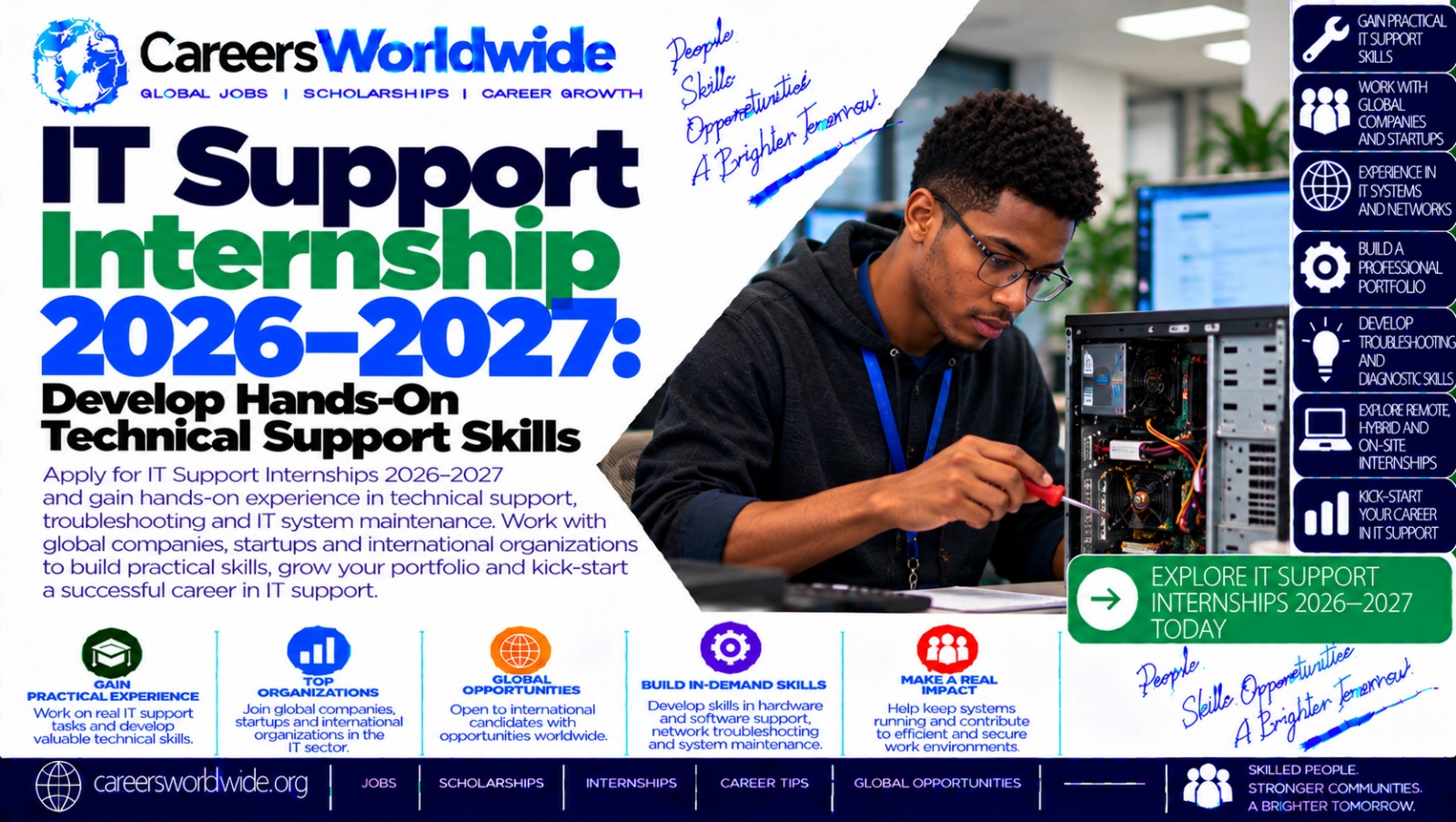

Excerpt: The IT Support Internship 2026–2027 offers aspiring IT professionals an opportunity to develop practical skills in computer troubleshooting, hardware maintenance, software installation, networking, operating systems, cybersecurity, and technical customer support. As organizations rely on computers, networks, and cloud-based applications to conduct daily operations, skilled IT support professionals play an important role in keeping technology reliable and secure. This guide explains what IT support interns do, who may qualify, which skills employers value, how to prepare your CV, where to find official opportunities, and how to apply for relevant internships during 2026–2027.
1. Introduction to the IT Support Internship 2026–2027
Information technology supports almost every modern organization. Schools use computers for administration and teaching, hospitals depend on digital systems, banks rely on secure networks, and businesses need reliable devices and applications to serve customers.
When a computer stops working, a user cannot access an account, a printer fails, or a network connection disappears, IT support professionals help identify and resolve the problem.
The IT Support Internship 2026–2027 is a useful opportunity category for students, recent graduates, and aspiring technology professionals who want to gain hands-on experience with these responsibilities.
Depending on the employer, an internship may involve troubleshooting hardware, installing software, configuring devices, supporting employees, documenting technical issues, maintaining computer networks, and helping implement security procedures.
Some positions focus on office-based help desk support, while others involve infrastructure, data centers, cloud services, or operational technology.
Important: This article covers IT support internships available as a category during 2026–2027. Individual employers determine their own vacancies, application deadlines, qualifications, compensation, and work arrangements.
One relevant example is Amazon’s 2027 IT Support Engineering Intern position in Johannesburg, South Africa. Its official advertisement describes work involving IT infrastructure, end-user devices, network readiness, system configuration, and operational support. The listed placement is full-time for 12 months, starting in the first quarter of 2027. Applicants must check the current advertisement for its exact eligibility criteria and recruitment status.
For beginners, the main objective is to develop practical technical knowledge, strengthen problem-solving abilities, and learn how to support users professionally.
2. What Is an IT Support Internship?
An IT support internship is a supervised learning or work placement that introduces participants to the processes used to maintain, troubleshoot, and support computer systems.
Interns may work with IT support technicians, systems administrators, network engineers, cybersecurity teams, or service desk professionals.
Common responsibilities include:
- Installing and updating operating systems and software.
- Diagnosing basic hardware and software problems.
- Helping users resolve login and access issues.
- Configuring computers, monitors, printers, and other peripherals.
- Troubleshooting network and internet connectivity.
- Recording incidents in a help desk ticketing system.
- Assisting with user accounts and access permissions.
- Following data protection and cybersecurity procedures.
- Preparing devices for new employees.
- Documenting troubleshooting steps and solutions.
The exact duties depend on the organization and the intern’s experience.
For example, an employee may report that a laptop cannot connect to the company network. An IT support intern might begin by checking the device’s connection, verifying basic network settings, reviewing the error message, and following the organization’s troubleshooting procedure.
If the issue requires administrator privileges or specialist knowledge, the intern may need to escalate it to an experienced technician.
This process demonstrates an important principle: IT support is not simply about repairing computers. It also involves communication, documentation, responsible access management, and knowing when to request assistance.
3. Why Consider an IT Support Internship in 2026–2027?
An internship can help you develop the practical abilities needed to move from basic computer knowledge toward a professional IT career.
Gain hands-on technical experience
You may learn how to diagnose computer problems, configure devices, install software, and investigate common network issues under supervision.
Understand workplace IT systems
Organizations often use structured processes for reporting incidents, assigning tickets, managing devices, and protecting business information. Exposure to these processes can help you understand professional IT operations.
Improve customer service skills
IT support professionals must explain technical information clearly, listen carefully, and help users who may be frustrated or unfamiliar with technology.
Learn cybersecurity fundamentals
Interns may be introduced to secure passwords, multifactor authentication, software updates, device protection, and responsible handling of sensitive information.
Build professional confidence
Working through real technical problems can improve your ability to investigate issues methodically and explain your findings.
Explore further career opportunities
IT support can provide a foundation for systems administration, networking, cloud support, cybersecurity, endpoint management, and other technical specializations.
Some organizations may consider successful interns for graduate roles or other vacancies. However, employment after an internship is not guaranteed.
4. Essential IT Support Skills to Develop
You do not need to master every IT discipline before applying. Focus on foundational skills and expand your knowledge as you gain experience.
Computer hardware
Learn the basic functions of processors, memory, storage drives, motherboards, power supplies, and peripheral devices.
Understand how to recognize common hardware symptoms, such as overheating, insufficient storage, faulty cables, or a device that fails to start.
Only open or repair equipment when authorized and when you understand the relevant electrical and workplace safety procedures.
Operating systems
Become familiar with Windows and, where relevant, Linux and macOS.
Practise installing software, managing files, checking system settings, identifying running processes, reviewing updates, and understanding user permissions.
Networking fundamentals
Study IP addresses, DNS, DHCP, routers, switches, Wi-Fi, Ethernet, and basic network troubleshooting.
Understand the difference between a device problem, a local network issue, and a broader internet connectivity problem.
Software installation and troubleshooting
Learn how to install approved applications, check compatibility, manage updates, identify error messages, and follow established troubleshooting procedures.
Avoid installing unauthorized software or bypassing company security controls.
User account management
Understand user accounts, access permissions, password resets, multifactor authentication, and the principle of granting only the access someone needs.
Production account changes should always follow the organization’s approval and security procedures.
Help desk ticketing
Learn how technical support teams record issues, prioritize requests, document investigations, communicate progress, and close resolved tickets.
Good documentation helps other technicians understand what happened and reduces repeated work.
Cybersecurity awareness
Understand phishing, malware, software patching, endpoint protection, secure browsing, data privacy, and incident reporting.
If you encounter a suspected security incident, follow the designated reporting procedure rather than attempting unauthorized investigations.
Communication and customer service
Practise explaining technical instructions in plain language. Ask relevant questions, confirm the user’s problem, and explain what you are doing without making promises you cannot keep.
Basic scripting and automation
Learning introductory PowerShell, Python, or Bash can help with repetitive tasks and simple troubleshooting. Scripting is useful but is not required for every entry-level support internship.
5. Eligibility Requirements: Who Can Apply?
Eligibility depends on the internship provider and the particular role.
Potential applicants include:
- Students studying information technology or computer science.
- Students enrolled in networking or systems administration programs.
- Recent graduates with relevant technical qualifications.
- Applicants completing vocational IT training.
- Beginners with demonstrable computer troubleshooting skills.
- Candidates transitioning into technology from another field, where accepted by the employer.
Typical requirements may include a relevant diploma or degree, basic computer literacy, familiarity with Windows or Linux, introductory networking knowledge, and strong communication skills.
Some positions are designed specifically for university students who will return to their studies after the internship. Others accept recent graduates or require a completed qualification in a related field.
Employers may also specify:
Educational requirements: A degree, diploma, accredited qualification, or equivalent experience.
Technical knowledge: Basic troubleshooting, operating systems, hardware, networking, or scripting.
Communication: The ability to assist users and document technical issues.
Availability: Full-time or part-time participation for the stated duration.
Location and work authorization: Permission to work in the relevant country and availability for the specified location.
Language proficiency: Sufficient written and spoken communication skills for the role.
For example, Amazon’s 2027 IT Support Engineering Intern listing in Johannesburg specifies current enrollment in a bachelor’s or master’s degree program with a graduation date in the first quarter of 2027, or recent graduation in 2026 within the stated six-month window. It also specifies full-time availability for 12 months and English communication skills.
These requirements apply to that particular listing, not to all IT support internships.
6. Practical Projects to Strengthen Your Application
If you have limited professional experience, practical projects can help demonstrate your technical ability.
Project 1: Create a troubleshooting guide
Document how to investigate common problems, such as a computer that cannot connect to Wi-Fi, a slow device, or a printer that fails to respond.
For each scenario, describe the symptoms, possible causes, diagnostic steps, and appropriate escalation point.
Project 2: Set up a computer maintenance checklist
Create a checklist covering operating system updates, storage capacity, antivirus status, backup verification, and basic device health.
Explain why each step matters and how to perform it safely.
Project 3: Practise networking diagnostics
Use your own computer or an authorized test environment to practise commands such as ipconfig, ping, tracert, and nslookup on Windows, or their relevant alternatives on other operating systems.
Document what each command does and how the output can help diagnose a problem.
Project 4: Build a help desk ticket template
Create a sample incident record with fields for the issue description, affected device, reported symptoms, troubleshooting performed, resolution, and escalation notes.
Use fictional information rather than real users’ personal data.
Project 5: Explore user account permissions
In a controlled lab environment, practise creating test accounts and understanding standard-user versus administrator permissions.
Never experiment with company accounts or change production permissions without authorization.
Project 6: Set up a small home lab
If you have suitable equipment, use a spare computer or virtual machine to practise operating system installation, software configuration, networking, and troubleshooting.
Keep the environment isolated when necessary and avoid exposing test services to the public internet without understanding the security implications.
Document these projects in a portfolio or concise technical report. The aim is to show your problem-solving process, not simply list commands or tools.
7. Summary Table: IT Support Internship 2026–2027
| Category | Details |
|---|---|
| Opportunity | IT support and technical support internships |
| Period | Opportunities may be advertised throughout 2026 and 2027 |
| Target applicants | Eligible students, graduates, and entry-level IT candidates |
| Related fields | IT, computer science, networking, and systems administration |
| Core skills | Troubleshooting, operating systems, hardware, networking, and communication |
| Additional skills | Cybersecurity, ticketing systems, scripting, and device management |
| Common job titles | IT Support Intern, Help Desk Intern, IT Operations Intern, Technical Support Intern |
| Application documents | CV, application form, and academic records where requested |
| Work arrangements | On-site, hybrid, or remote, depending on the vacancy |
| Compensation | Determined by the employer and internship terms |
| Duration | Varies by position |
| Application deadlines | Set by the individual employer |
| Selection process | May include CV screening, interviews, and technical assessments |
| Application method | Official employer careers website or authorized recruitment portal |
| Preparation strategy | Build practical skills, complete projects, and tailor applications |
The table provides a general overview. Candidates must verify the specific terms of each vacancy before applying.
8. How to Apply for an IT Support Internship 2026–2027
Follow these steps to find and apply for suitable positions.
Step 1: Search for relevant vacancies
Use job titles such as IT Support Intern, IT Support Engineering Intern, Help Desk Intern, Desktop Support Intern, Technical Support Intern, and IT Operations Intern.
You can also search for related positions in cloud support, network operations, and data center support.
Step 2: Check the official job description
Review the employer, location, educational requirements, work authorization, internship duration, and application deadline.
Make sure the position matches your qualifications and availability.
Step 3: Prepare your CV
Include your education, technical skills, relevant projects, work experience, and any applicable certifications.
Describe what you can do rather than relying on vague claims. For example, explain that you have practised diagnosing connectivity problems in a test environment if that is accurate.
Step 4: Prepare supporting documents
Some employers request academic transcripts, proof of enrollment, certificates, or references.
Prepare the requested documents in the specified format. Avoid sending sensitive identity documents unless they are legitimately required through a verified process.
Step 5: Write a targeted cover letter
Explain why you are interested in IT support and how your existing skills relate to the advertised role.
Mention relevant troubleshooting exercises, customer service experience, or technical projects. Keep your statements accurate and specific.
Step 6: Submit your application
Use the official careers website or authorized recruitment portal. Complete the application form carefully and verify that your documents have uploaded correctly.
Save the confirmation email or application reference number.
Step 7: Prepare for interviews
Review computer hardware, operating systems, networking, troubleshooting methodology, cybersecurity, and customer service.
Practise answering questions such as:
- How would you investigate a computer that cannot connect to the internet?
- What would you do if a user forgot their password?
- How would you handle several urgent support requests?
- Why is it important to document technical incidents?
- What would you do if you suspected a phishing attack?
Interviewers may evaluate your reasoning and communication as much as your technical knowledge.
Step 8: Track your applications
Record the position title, employer, application date, deadline, and status.
Follow the employer’s communication instructions and prepare for any additional assessments.
Step 9: Review the offer
Before accepting, check the duration, compensation, working hours, location, responsibilities, supervision, and confidentiality terms.
Do not assume that all internships provide a stipend or lead to permanent employment.
9. Official Application Resources
The following official resources can help you locate opportunities and develop relevant skills. Their inclusion does not mean that every organization has an open IT support vacancy at the time you visit.
Amazon Jobs
2027 IT Support Engineering Intern — Johannesburg, South Africa
Official listing: https://amazon.jobs/en/jobs/10576784/2027-it-support-engineering-intern-amazon-operations-technology-solutions
This position describes practical exposure to IT infrastructure, end-user devices, network readiness, hardware provisioning, system configuration, and operational technology support.
The listing specifies a full-time, 12-month placement starting in the first quarter of 2027. Its eligibility requirements include a relevant university enrollment or recent graduation status and English communication skills.
Review the official advertisement for current application availability and the complete requirements before applying.
Amazon Cloud Support Associate Internship
Official listing: https://amazon.jobs/en/jobs/10567708/cloud-support-associate-internship-april-2027-start-support-engineering
This separate South African internship focuses on cloud support and customer-facing technical work. The published description discusses technical training, scripting, networking, databases, operating systems, and cloud-related applications.
It is a related option for candidates interested in progressing from traditional IT support toward cloud technologies. The qualification requirements and start date differ from those of the IT Support Engineering Intern position.
Amazon student internships
Official resource: https://www.amazon.jobs/content/en-gb/career-programs/university/internships-for-students/
Use this page to explore student internship opportunities across Amazon’s business and technology teams. Search for IT support, operations technology, infrastructure, and other relevant job titles.
Google Careers
Official resource: https://www.google.com/about/careers/applications/
Search for roles related to data center operations, IT infrastructure, technical support, and hardware troubleshooting.
Not every technical internship is an IT support role, so check the responsibilities and qualifications before applying.
Google IT Support Certificate
Official learning resource: https://www.skills.google/paths/2269?locale=en
Google’s IT Support Certificate learning path covers foundational topics including troubleshooting, customer support, system administration, Windows, Linux command-line tools, and Python.
This is a learning resource rather than a job vacancy. It may help beginners prepare for entry-level support roles, but completing the training does not guarantee an internship.
Microsoft Careers
Official resource: https://careers.microsoft.com/v2/global/en/students
Explore student and early-career opportunities at Microsoft. Search for technical support, IT operations, infrastructure, and related roles when available.
Requirements vary by position and country, so use the individual job listing to determine whether you qualify.
Important application note: A careers homepage is a starting point, not confirmation of an active vacancy. Always verify the position title, current recruitment status, application deadline, and official submission process.
10. A Practical 90-Day Preparation Plan
A structured preparation plan can help beginners build confidence before applying.
Days 1–30: Learn the fundamentals
Study computer hardware, Windows administration, basic Linux commands, networking, and common troubleshooting procedures.
Practise using your own equipment or an authorized lab environment. Begin documenting the problems you investigate and the solutions you discover.
Goal: Understand basic IT support concepts and complete several simple troubleshooting exercises.
Days 31–60: Develop practical experience
Create a troubleshooting guide, practise network diagnostics, and build a sample help desk ticketing template.
Explore basic account management, security awareness, software installation, and device maintenance.
Goal: Produce a small portfolio demonstrating your approach to common IT support tasks.
Days 61–90: Apply for internships
Prepare your CV, collect relevant academic documents, and identify suitable vacancies.
Review each employer’s requirements and practise interview questions. Submit applications to positions that match your qualifications and continue developing your skills.
Goal: Begin targeted applications while improving your technical knowledge.
This is a suggested preparation schedule, not an official internship timetable.
11. Career Opportunities After an IT Support Internship
IT support experience may provide a foundation for several technology careers.
IT support technician: Helps users resolve hardware, software, and connectivity problems.
Help desk analyst: Manages support requests, diagnoses incidents, and communicates solutions.
Desktop support technician: Focuses on workstations, operating systems, peripherals, and user devices.
Systems administrator: Helps maintain servers, operating systems, accounts, backups, and infrastructure.
Network technician: Supports network devices, connectivity, configuration, and troubleshooting.
Cloud support associate: Helps investigate cloud service issues and assists customers with technical questions.
Cybersecurity analyst: Works on security monitoring, incident handling, access controls, and protective measures, often requiring additional specialized training.
Data center technician: Supports physical computing infrastructure, hardware maintenance, equipment installation, and operational reliability.
The responsibilities and entry requirements for these roles differ. An internship can help you identify an area of interest, but continued learning and practical experience are usually important for career progression.
12. Frequently Asked Questions (FAQ)
1. What is the IT Support Internship 2026–2027?
It refers to IT support and related technical internship opportunities offered during the 2026–2027 period. There is no single universal program under this title; employers operate their own recruitment processes.
2. Who can apply?
Depending on the vacancy, eligible candidates may include IT students, recent graduates, diploma holders, and applicants with relevant technical training.
Some positions require university enrollment or a completed qualification in a related field.
3. Do I need previous work experience?
Not always. Entry-level internships may accept candidates with basic technical knowledge and practical projects. More specialized positions may require previous experience or particular qualifications.
4. What skills are most important?
Computer troubleshooting, operating systems, hardware fundamentals, networking, cybersecurity awareness, documentation, and communication are useful foundations.
5. Are IT support internships paid?
Compensation depends on the employer and the specific program. Review the official listing and offer documentation to determine whether a salary, stipend, or other benefits are provided.
6. Can I apply without a degree?
Some internships accept candidates with diplomas, vocational qualifications, or equivalent skills, while others require university enrollment or a degree. Check the individual eligibility criteria.
7. Are remote IT support internships available?
Some employers offer remote support roles, but many internships require on-site access to devices, networks, or operational facilities. Confirm the work arrangement before applying.
8. Can international applicants apply?
Eligibility depends on the employer, location, and work authorization rules. For example, the Amazon IT Support Engineering Intern position discussed in this article is based in Johannesburg, South Africa, and has specific qualification and availability requirements.
Applicants outside South Africa should not assume that they qualify without checking the official listing.
9. Do I need an IT certification?
Not necessarily. Certifications can help demonstrate knowledge, but employers may also consider practical skills, education, projects, and communication ability.
Choose training that aligns with the requirements of your target positions.
10. What documents should I prepare?
Common documents include a CV or résumé and application form. Some employers request academic transcripts, proof of enrollment, certificates, references, or identification.
Submit documents only as required through verified recruitment channels.
11. When should I apply?
Deadlines vary. Some employers recruit for internships months before the start date, while others advertise throughout the year.
Check official careers pages regularly and apply before the stated deadline.
12. How can I avoid internship scams?
Verify the employer and website domain, check the vacancy on the official careers portal, and be suspicious of requests for recruitment fees or promises of guaranteed employment.
Never share passwords or unnecessary sensitive information with an unverified recruiter.
13. Will an internship guarantee permanent employment?
No. An internship may provide useful experience and professional contacts, but permanent employment depends on business needs, qualifications, performance, and available vacancies.
14. How can I prepare for an IT support interview?
Practise explaining troubleshooting procedures, networking fundamentals, hardware issues, operating system problems, and basic cybersecurity principles.
Use clear examples, describe your reasoning, and explain when you would escalate an issue.
15. What can I do if I have no technical equipment at home?
Begin with free learning materials, operating system tutorials, networking exercises, and documentation projects. Use school or community computer facilities where available and authorized.
You can still demonstrate problem-solving through written troubleshooting guides and structured lab exercises without claiming experience you have not gained.
13. Final Summary
The IT Support Internship 2026–2027 can be a valuable starting point for people who want to develop practical technical support skills and explore careers in information technology.
By learning computer hardware, operating systems, networking, troubleshooting, cybersecurity, and customer service, applicants can build a foundation for entry-level IT work.
The most effective preparation combines structured learning with practical exercises, a clear CV, and a focused application strategy. Candidates should also research employers carefully, verify eligibility requirements, and apply through official recruitment websites.
Opportunities such as Amazon’s 2027 IT Support Engineering Intern and Cloud Support Associate Internship illustrate the range of technical support pathways available. Their requirements differ, so applicants should assess each position individually.
With consistent preparation, professional communication, and a commitment to responsible troubleshooting, an IT support internship can help you move toward a career in IT operations, systems administration, networking, cloud support, or cybersecurity.
14. Disclaimer
This article is provided for general informational and educational purposes. It covers IT support internships as a category and does not guarantee that a particular position is open or that an applicant will be selected.
Recruitment status, deadlines, qualifications, compensation, work location, and internship duration may change. Applicants should consult the responsible employer’s official advertisement for the latest information.
The official resources included above are intended to help readers research opportunities and develop skills. A training course is not a job offer, and an internship application does not guarantee an interview or placement.
Never pay an unverified recruiter in exchange for promised employment, and do not disclose passwords or unnecessary sensitive information during recruitment.
15. SEO Keywords
IT Support Internship 2026–2027,
IT Support Internship 2026,
IT Support Internship 2027,
IT Support Intern Jobs,
IT Support Internship for Students,
IT Support Internship for Graduates,
IT Support Engineering Intern,
Technical Support Internship 2026,
Help Desk Internship 2026–2027,
Desktop Support Internship,
IT Operations Internship,
Computer Technician Internship,
Network Support Internship,
Cloud Support Internship 2027,
Amazon IT Support Internship 2027,
Amazon Cloud Support Associate Internship,
Google IT Support Certificate,
Microsoft IT Internship,
IT Internship Opportunities 2026–2027,
IT Support Internship Eligibility,
IT Support Internship Requirements,
IT Support Internship Application Process,
IT Support Internship Official Application,
IT Support Internship CV,
IT Support Internship Cover Letter,
IT Support Interview Questions,
IT Support Skills for Beginners,
Computer Troubleshooting Training,
Hardware and Software Troubleshooting,
Windows Support Internship,
Linux Support Skills,
Networking Fundamentals for IT Support,
Cybersecurity Awareness for IT Support,
IT Help Desk Training,
IT Support Practical Projects,
Entry Level IT Support Jobs,
IT Support Career Development,
IT Support Internship in South Africa,
IT Support Internship for International Applicants,
IT Infrastructure Support Internship,
Data Center Technician Internship,
IT Support Training and Certification,
How to Apply for IT Support Internship,
IT Support Internship Application Guide,
ALSO CHECK: UI/UX Design Internship 2026–2027: Create Better Digital Products and User ExperiencesOctober 15, 2026
Cloud Computing Internship 2026–2027: Develop Skills in Modern Cloud TechnologiesOctober 15, 2026
Digital Marketing Internship 2026–2027: Gain Experience in SEO, Social Media and Online AdvertisingOctober 15, 2026