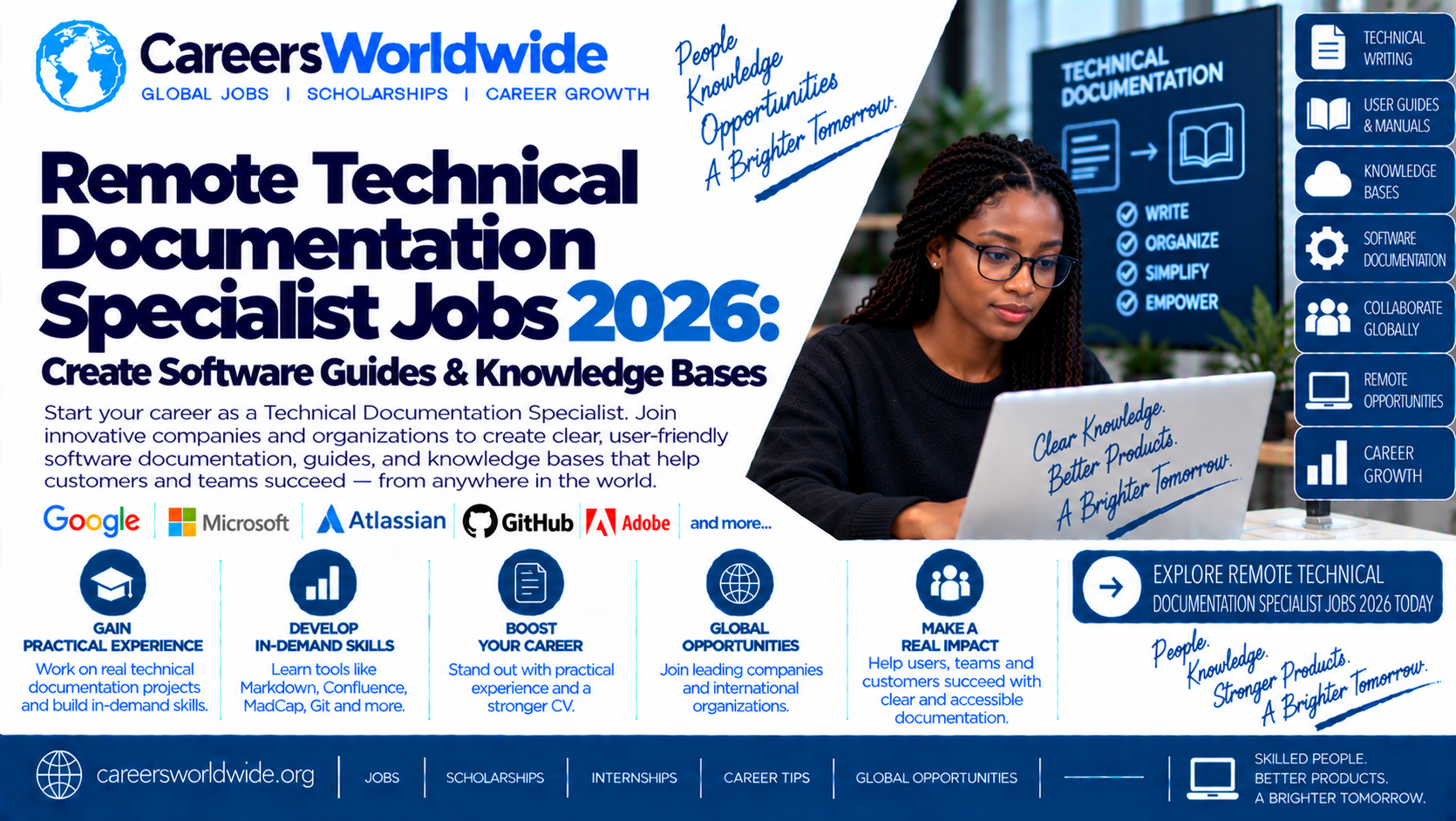

Excerpt: Discover remote Technical Documentation Specialist jobs in 2026, explore the skills needed to create software guides and knowledge bases, and learn how to build a documentation portfolio, tailor your CV, prepare for interviews, and apply for remote technical writing opportunities.
Software companies create new features, platforms, APIs, and digital services every day. But technology is only useful when people can understand how to use it, configure it, troubleshoot it, and maintain it.
That is where technical documentation specialists make a difference.
These professionals turn complex technical information into clear, accurate, and useful content. They may write software user guides, API documentation, installation instructions, troubleshooting articles, internal knowledge-base content, release notes, and product tutorials.
For people interested in technology, communication, research, and problem-solving, technical documentation can offer a career path that combines writing skills with practical technical knowledge. Some organizations offer remote roles, although eligibility depends on the employer, country, and employment arrangement.
This guide explains what technical documentation specialists do, which skills employers may seek, how to build a portfolio, and how to prepare for remote technical documentation applications in 2026.

1. What Is a Technical Documentation Specialist?
A Technical Documentation Specialist creates and maintains information that helps people understand and use products, software, systems, or processes.
The role may sit within a software engineering team, product organization, customer support department, technical communications team, or IT operations function.
The specialist’s audience could include:
- Software developers integrating an API.
- Customers configuring a product.
- Employees using internal business systems.
- IT administrators installing or maintaining software.
- Support teams troubleshooting recurring problems.
- Engineers maintaining technical systems.
The goal is not simply to write more information. It is to make the right information available to the right audience in a format they can understand and use.
What is technical documentation?
Technical documentation is structured information that explains how a technical product, system, or process works.
Examples include:
- User manuals and product guides.
- Installation and configuration instructions.
- API references and integration tutorials.
- Troubleshooting guides.
- Software release notes.
- Frequently asked questions.
- Internal technical procedures.
- Knowledge-base articles.
- System architecture and maintenance documentation.
Some roles focus primarily on customer-facing content, while others create documentation for developers or internal technical teams.
2. What Do Technical Documentation Specialists Do?
Daily responsibilities depend on the employer and product. A specialist working on developer tools may write API tutorials and code examples, while someone supporting enterprise software may create user guides and troubleshooting documentation.
Research technical information
Documentation specialists gather information from product managers, software engineers, subject-matter experts, support teams, existing documentation, and product testing.
They must distinguish confirmed information from assumptions and clarify details before publishing.
Write software guides
A software guide explains how to complete a task using an application or technical system. Effective guides often include prerequisites, step-by-step instructions, examples, expected results, and troubleshooting notes.
Maintain knowledge bases
A knowledge base is an organized collection of articles designed to help users find answers. Specialists may create new articles, update outdated content, improve navigation, and identify missing information.
Document APIs and integrations
Some technical writers explain how software systems communicate through APIs. This may involve documenting endpoints, parameters, authentication, request examples, responses, errors, and integration workflows.
Review and edit documentation
Technical documentation must be understandable and accurate. Specialists review content for clarity, consistency, terminology, completeness, formatting, and technical correctness.
Coordinate with technical teams
Documentation often requires collaboration with engineers, designers, support specialists, product managers, and quality assurance teams. The specialist may request clarification, verify behavior, and coordinate reviews before publication.
Update content as products change
Software evolves. Documentation specialists may revise guides when features change, interfaces are redesigned, APIs are updated, or known issues are resolved.
Maintaining documentation is an ongoing responsibility—not simply a one-time writing task.
3. Types of Technical Documentation You May Create
Different documentation formats serve different audiences. Learning how to choose the right format is an important part of the job.

User guides
Explain how to complete tasks in a product. They may include screenshots, numbered instructions, prerequisites, and troubleshooting advice.

API documentation
Help developers integrate software services by explaining endpoints, authentication, parameters, responses, errors, and example requests.

Knowledge-base articles
Answer common questions and explain how to resolve specific issues. Good articles are searchable, focused, and easy to scan.

Release notes
Explain new features, improvements, bug fixes, known issues, and changes that may affect users or developers.

Standard operating procedures
Describe repeatable processes, responsibilities, and steps used by support, operations, or technical teams.
Documentation should match its audience
A developer guide may require code samples, configuration details, and API behavior. A customer guide may need plain language, screenshots, and clear instructions without unnecessary technical terminology.
Before writing, ask:
- Who will use this document?
- What are they trying to accomplish?
- What knowledge can reasonably be assumed?
- What information must they have before starting?
- What should happen when they follow the instructions?
- What errors or edge cases might they encounter?
These questions help turn raw technical information into practical documentation.
4. Skills Employers May Look For in 2026
Technical documentation roles often combine writing, research, technical understanding, editing, and collaboration. Employers may emphasize different skills depending on whether the position focuses on developer documentation, product help, internal systems, or regulated content.
| Skill | Why it matters |
|---|---|
| Technical writing | Explains complex topics clearly and accurately |
| Research and interviewing | Gathers information from engineers and subject-matter experts |
| Editing and proofreading | Improves clarity, grammar, consistency, and structure |
| Markdown | Supports structured documentation and docs-as-code workflows |
| Git and version control | Tracks revisions and supports collaborative review |
| API fundamentals | Helps document software integrations and developer workflows |
| Information architecture | Organizes content so users can find answers |
| Screenshot and diagram creation | Makes complex workflows easier to understand |
| Accessibility | Helps make documents usable by people with different needs |
| Project coordination | Manages reviews, updates, and publishing deadlines |
Strong writing and editing
Technical writers need to be accurate, concise, and consistent. Good documentation avoids ambiguity and makes the next action clear.
For example, instead of writing:
Configure the system appropriately and proceed with the setup.
A clearer instruction might be:
Open Settings, select Network, enter the approved server address, and select Save.
The second example names the location, action, and expected sequence. Actual instructions must always match the software being documented.
Research and subject-matter interviews
You may need to interview developers or product specialists who have limited time. Prepare focused questions, take structured notes, and confirm uncertain details before publication.
Useful questions include:
- What problem does this feature solve?
- Who is expected to use it?
- What prerequisites are required?
- What steps must users follow?
- What errors can occur?
- What changed in the latest release?
- Are there security or accessibility considerations?
Technical literacy
You do not need to be a senior software developer for every technical writing position. However, understanding basic software concepts makes it easier to ask precise questions and verify instructions.
Useful foundations include:
- How web applications work.
- Basic HTML and CSS.
- Introductory JavaScript or Python.
- HTTP requests and responses.
- REST API concepts.
- JSON and configuration files.
- Git and command-line basics.
- Software testing and release cycles.
For API documentation, practice reading sample requests and responses and explaining what each field means.
5. Documentation Tools Worth Learning
Tools differ between employers. Start with transferable skills, then learn the specific platforms listed in the vacancies you are targeting.

Markdown
A lightweight format used to structure headings, lists, links, tables, and code examples. It is useful for documentation stored alongside software projects.

Git and GitHub
Support version control, collaboration, review, and documentation changes. Learn commits, branches, pull requests, and review comments.

Confluence and knowledge platforms
Used by some teams to organize internal documentation, project knowledge, meeting notes, and process guides.

OpenAPI and Swagger tools
Useful for understanding and documenting API operations, schemas, parameters, and responses.
Other tools may include Microsoft Word, SharePoint, Jira, static-site generators, screenshot utilities, diagramming applications, and content management systems.
What is docs-as-code?
Docs-as-code means using software development practices to manage documentation. Content may be written in text-based formats, stored in version control, reviewed through pull requests, and published through an automated workflow.
This approach can help teams:
- Track changes and authorship.
- Review documentation alongside code.
- Maintain consistent formatting.
- Automate checks and publishing.
- Keep documentation updates connected to software releases.
You can practice this workflow with a small Git repository containing Markdown files, a README, and a simple review process.
6. Qualifications and Experience
Employers may request a degree or diploma in technical writing, communications, English, computer science, information systems, journalism, or a related discipline. Some accept equivalent professional experience.
Relevant experience may come from:
- Technical writing or editing.
- Software development.
- IT support and troubleshooting.
- Customer support or knowledge management.
- Quality assurance and software testing.
- Training and instructional design.
- Business analysis or process documentation.
- Research and technical communication.
Can beginners apply?
Some documentation roles are suitable for people building experience, while others require several years of professional writing, specialized software knowledge, or experience in regulated industries.
A current official example is Canonical’s Technical Author recruitment page, which describes roles at multiple seniority levels, including graduate through senior staff, and states that the opportunities are home-based and worldwide. Its page also explains that technical authors collaborate with teams and contribute to software and business documentation.
Canonical
Other current listings illustrate how requirements can vary:
- A software documentation role advertised by Innovate describes remote work and requests experience with software documentation, accessibility, and collaboration tools; the listing says the position is contingent on a contract award.
innovateteam.my.salesforce-sites.com
- A Nametag Technical Writer listing describes a remote role limited to applicants authorized to work in the United States without current or future visa sponsorship, and asks for substantial documentation experience.
Greenhouse
These examples are useful for understanding role differences, but they are not a guarantee that a vacancy remains open or that applicants in every country are eligible. Always verify the current listing.
7. Build a Technical Documentation Portfolio
A portfolio can help demonstrate your writing and technical understanding when your employment history does not include a formal technical writer title.
You do not need a large website to begin. A small collection of well-organized samples can show how you research, structure, write, and verify documentation.
Project 1: Create a software user guide
Choose a simple application or a project you have permission to document. Create a guide for one specific task.
Include:
- A clear title and purpose.
- Intended audience.
- Prerequisites.
- Numbered instructions.
- Screenshots with useful captions.
- Expected results.
- Troubleshooting notes.
- A revision date.
Test every step yourself. Do not include screenshots or information that expose private accounts, credentials, or confidential data.
Project 2: Write a sample API guide
Use a public demo API or your own simple application. Create a beginner-friendly guide that explains how to make a request and interpret the response.
Include:
- What the API does.
- Authentication requirements, if any.
- Endpoint and HTTP method.
- Parameters and example values.
- A sample request.
- A sample response.
- Common errors.
- Limitations and security notes.
Make it clear whether the API is a public example, a mock service, or your own project.
Project 3: Build a mini knowledge base
Create a set of five to eight help articles for a fictional or personal software project.
Possible article topics:
- How to create an account.
- How to reset a password.
- How to update a profile.
- How to troubleshoot a login problem.
- How to configure notifications.
- How to report a bug.
Organize the articles into categories and use consistent titles, headings, terminology, and cross-links.
Project 4: Document a software release
Create sample release notes for a fictional software update. Separate new features, improvements, bug fixes, known issues, and any actions users need to take.
Label the release notes as a sample. Do not present fictional product changes as real company announcements.
8. How to Make Your Portfolio Stand Out
A documentation portfolio should show more than polished prose. It should demonstrate that you can help a reader complete a task accurately.
Use this review checklist:
Portfolio quality check
0/8The intended audience and purpose are clear.Instructions have been tested or independently checked.Headings and sections follow a logical order.Screenshots and diagrams are relevant and readable.Technical terms are explained or used consistently.Links work and point to appropriate resources.Examples do not expose private or confidential information.The sample is labeled accurately and includes its limitations.
If possible, ask another person to follow your instructions without your help. Observe where they hesitate or misunderstand, then revise the content.
That simple usability test can reveal problems that proofreading alone may miss.
9. Where to Find Remote Technical Documentation Jobs in 2026
Remote technical documentation opportunities may appear in software companies, cloud services, cybersecurity, healthcare technology, financial services, government contractors, and open-source organizations.
Job titles to search
Try these titles and variations:
- Remote Technical Documentation Specialist.
- Remote Technical Writer.
- Technical Author.
- Software Documentation Specialist.
- API Documentation Writer.
- Developer Documentation Writer.
- Knowledge Base Specialist.
- Documentation Engineer.
- Technical Content Specialist.
- IT Documentation Analyst.
- Product Documentation Specialist.
- Documentation Coordinator.
Some employers use “technical author,” while others use “technical writer” or “documentation engineer” for similar work. Compare the responsibilities before deciding whether the role fits.
Current examples to investigate
Worldwide remote stated
Canonical — Technical Author
The company’s careers page describes home-based, worldwide technical author roles at multiple seniority levels, with work across software and internal documentation. Review the live posting for current application details and role matching.
Canonical
View Canonical Technical Author careers page
Remote, US eligibility restrictions
Nametag — Technical Writer
The listing describes customer documentation, user manuals, API guides, release notes, and FAQs. It specifies U.S. work authorization requirements, so applicants should check eligibility before applying.
Greenhouse
View Nametag listing
Remote role; verify conditions
Innovate — Software Documentation Specialist
The listing describes software documentation, accessibility requirements, and collaboration with engineering and product stakeholders. It states that the position is contingent on a contract award.
innovateteam.my.salesforce-sites.com
View Innovate job posting
These are examples surfaced during research, not a guarantee of current availability. Check each employer’s page for application status, eligibility, deadlines, and any changes to the posting.
10. How to Apply for Remote Technical Documentation Jobs
- Choose relevant vacanciesSearch several job titles and compare the duties, seniority, required tools, remote location, and qualifications.
- Match your experience to the requirementsIdentify whether the role prioritizes user guides, API documentation, knowledge bases, accessibility, or docs-as-code.
- Prepare a tailored CVHighlight writing, research, editing, technical knowledge, documentation projects, and collaboration.
- Include portfolio samplesProvide a small number of relevant samples that demonstrate the type of documentation the employer needs.
- Write a focused cover letterExplain your interest in the product or audience and connect your experience to the job’s actual responsibilities.
- Apply through the official careers portalConfirm the employer, vacancy reference, country eligibility, and application instructions before submitting.
- Prepare for a writing assessmentPractice editing unclear instructions, creating a short guide, documenting an API, or explaining a technical concept to a non-technical audience.
CV tips
Use a simple structure:
- Professional summary.
- Technical writing and documentation skills.
- Relevant experience.
- Selected portfolio projects.
- Tools and technical knowledge.
- Education and relevant training.
Avoid claiming expertise in tools you have only briefly explored. It is acceptable to describe a skill as “foundational knowledge” or “currently learning” when that is accurate.
Sample CV bullet points
Adapt these only when they reflect work you have actually completed:
- “Created step-by-step user documentation for a software workflow, including prerequisites, screenshots, and troubleshooting guidance.”
- “Organized knowledge-base articles using consistent headings, terminology, and cross-links.”
- “Reviewed technical content for clarity, accuracy, grammar, and consistency.”
- “Documented API request and response examples for a sample software project.”
- “Used Git and Markdown to maintain and review documentation changes.”
Where possible, describe the audience, scope, and verified outcome of your work.
Sample cover letter paragraph
I am interested in the Remote Technical Documentation Specialist position because it combines clear communication with practical technology. Through my experience in [relevant area] and my work on [documentation project], I have developed skills in researching technical information, organizing instructions, and explaining processes for specific audiences. I would welcome the opportunity to support your team by creating accurate, accessible, and maintainable documentation.
Personalize the paragraph for the employer and remove any statement that does not reflect your background.
11. Official Learning and Documentation Resources
These resources can help you develop technical writing skills and learn documentation workflows.
Google Developer Documentation Style Guide
Learn principles for writing clear, consistent developer documentation, including language, structure, and terminology.Open Google style guide
GitHub Docs
Explore GitHub workflows and documentation related to repositories, Markdown, and collaborative development.Open GitHub documentation
Microsoft Writing Style Guide
Review guidance on clear, consistent writing for technology products and user-facing content.Open Microsoft style guide
OpenAPI Initiative
Learn about the OpenAPI Specification, a standard for describing HTTP APIs.Open OpenAPI Initiative
Canonical Careers
Explore the Technical Author role and review the company’s official application guidance.Open Canonical careers page
Use official documentation to learn, then practice by creating your own samples. Completing a tutorial is useful, but being able to explain and apply the concepts is what makes a portfolio more convincing.
12. Interview Questions to Practice
Technical documentation interviews may include a writing exercise, editing test, portfolio discussion, or questions about working with engineers and product teams.
1. How do you explain a complex technical feature to a beginner?
2. How do you verify technical accuracy?
3. What would you do if an engineer gives you incomplete information?
4. How do you keep documentation up to date?
5. How would you improve a confusing knowledge-base article?
Practical writing test
You may be asked to turn rough notes into a short software guide. A reliable approach is:
- Identify the intended reader and task.
- Confirm the product behavior and prerequisites.
- Put the steps in the correct order.
- Use direct, specific instructions.
- Include expected results and relevant warnings.
- Check spelling, terminology, links, and formatting.
- State any assumptions or missing information.
Do not invent product behavior to make a document appear complete. Flag uncertainty and request clarification.
13. Remote Work: What Applicants Should Check
A remote job may be limited to a particular country, region, or time zone. Some employers use “remote” to mean remote within their own country, while others explicitly allow worldwide applications.
Before applying, verify:
- Location eligibility: Which countries can applicants work from?
- Work authorization: Is existing authorization required?
- Employment type: Is it permanent employment, contract, freelance, or consultancy?
- Working hours: Are there fixed collaboration hours?
- Travel: Is occasional travel or office attendance expected?
- Equipment: Does the employer provide equipment or require your own?
- Compensation: Is pay based on location, and what currency is used?
For applicants in Zimbabwe or other countries outside an employer’s primary hiring market, check whether the employer can legally hire or contract with someone in that location. Do not assume worldwide eligibility from the word “remote.”
14. A 30-Day Technical Documentation Preparation Plan
Use this checklist to build a foundation and prepare an application portfolio.
Your 30-day checklist
0 of 6 milestones complete
0%
Days 1–5: Study documentation fundamentals
Review audience analysis, task-based writing, information architecture, and style guides.
Days 6–10: Create a user guide
Document a small software task, including prerequisites, steps, screenshots, and troubleshooting.
Days 11–15: Learn documentation tools
Practice Markdown, Git basics, and organizing content in a repository.
Days 16–20: Create API or knowledge-base samples
Write a sample API guide or a small collection of searchable help articles.
Days 21–25: Review and test
Check accuracy, links, accessibility, consistency, and usability with another reader.
Days 26–30: Prepare job applications
Tailor your CV, select portfolio samples, research vacancies, and practice writing tests.Reset checklist
15. Remote Technical Documentation Specialist Jobs 2026: Summary Table
| Category | Key information |
|---|---|
| Job title | Technical Documentation Specialist |
| Related titles | Technical Writer, Technical Author, Documentation Engineer |
| Main purpose | Create and maintain clear, accurate technical information |
| Common deliverables | Software guides, API documentation, knowledge bases, release notes, SOPs |
| Core skills | Writing, research, editing, technical understanding, information architecture |
| Useful tools | Markdown, Git, GitHub, Confluence, OpenAPI, Microsoft Word |
| Relevant backgrounds | Software, IT support, communications, QA, technical writing, training |
| Portfolio | User guide, API sample, knowledge base, or release notes |
| Remote eligibility | Depends on employer, country, work authorization, and role |
| Application approach | Tailor CV, provide relevant samples, apply through official channels |
| Career development | Senior technical writer, documentation lead, API writer, docs engineer |
16. Frequently Asked Questions
What does a Technical Documentation Specialist do?
Are remote Technical Documentation Specialist jobs available in 2026?
Can I become a technical writer without a computer science degree?
What tools should I learn first?
Do technical writers need to know programming?
How can beginners build a portfolio?
What should I include in my CV?
How do I check whether a remote vacancy is genuine?
Conclusion
Remote Technical Documentation Specialist jobs in 2026 offer opportunities to combine communication, research, and technical knowledge. The work can involve creating software guides, maintaining knowledge bases, documenting APIs, and helping users understand complex systems.
A practical way to prepare is to develop clear writing skills, learn common documentation tools, and create a small portfolio that demonstrates accuracy and usability. Explore related titles such as Technical Writer, Technical Author, API Documentation Writer, and Documentation Engineer to broaden your search.
Before applying, verify the employer’s official vacancy, location requirements, experience expectations, and application deadline. Focus your CV and portfolio on the skills the role actually requires.
Disclaimer
This article is for general career information and educational purposes. It does not guarantee employment, interviews, compensation, or remote-work eligibility. Job availability, salary, qualifications, and hiring conditions vary by employer and location. Examples of vacancies may change or close; verify all details through official employer websites. Be cautious of fraudulent recruiters, requests for upfront payments, and suspicious requests for sensitive personal or financial information.
SEO Settings for CareersWorldwide
SEO title
Remote Technical Documentation Specialist Jobs 2026: Skills & How to Apply Copy titleMeta description
Explore Remote Technical Documentation Specialist Jobs 2026. Learn technical writing skills, documentation tools, portfolio tips, remote job search strategies, and how to apply. Copy descriptionURL slug
remote-technical-documentation-specialist-jobs-2026 Copy slugFocus keyword
Remote Technical Documentation Specialist Jobs 2026 Copy keyword
Additional SEO keywords
Remote Technical Documentation Specialist Jobs 2026, remote technical writer jobs, software documentation specialist, technical author jobs, remote API documentation writer, developer documentation jobs, remote knowledge base specialist, documentation engineer jobs, technical writing careers, remote software documentation jobs, technical writer portfolio, Markdown documentation jobs, remote documentation analyst, technical communication jobs, remote technical content specialist
ALSO CHECK: Remote Vendor Risk Analyst Jobs 2026: Assess Third-Party Business RisksSeptember 22, 2026
MLOps Engineer Jobs 2026: Deploy & Maintain Machine Learning SystemsSeptember 22, 2026
Data Platform Engineer Jobs 2026: Build Scalable Data InfrastructureSeptember 22, 2026